Replace text in a PDF and keep the same font
The font already inside your document — the same embedded characters the rest of the line is drawn from.
Edit the text in your PDF
-
1
Choose your document
-
2
Say what should change
-
3
See it, then download it
Why replaced text usually looks wrong
Open a PDF in almost any editor, change a word, and look closely at what comes back. The new word is often in a different typeface from the one beside it: the editor could not use the document's own font, so it picked the nearest thing installed on the machine — Helvetica for Arial, a generic sans-serif for a custom corporate font nobody else has. On screen at 100% it can look acceptable. Printed, or next to the original line, the difference shows.
This happens because a PDF usually carries a cut-down copy of its typeface, containing only the characters that document uses. That font is not installed anywhere else, so an editor that wants to write new text with it has to use it the way the file itself does — which most do not attempt.
Using the font that is already there
Every replacement here is written with the document's own embedded font, at the same size, with the same character spacing. There is no font matching step, because there is no second font. Nothing is installed and nothing is downloaded.
If that font has no shape for a character you need, it cannot be written, and you are told so before anything is charged. Tools that substitute fonts never refuse; they return a page with two typefaces on it.
The steps
Upload the PDF
Its fonts are listed with a sample of the characters each one includes.
Enter the text to replace and its replacement
Each occurrence says whether its font can write what you asked for.
Read the check
Any missing character is named. No substitution is offered, because substitution is exactly what this avoids.
Compare the result and download
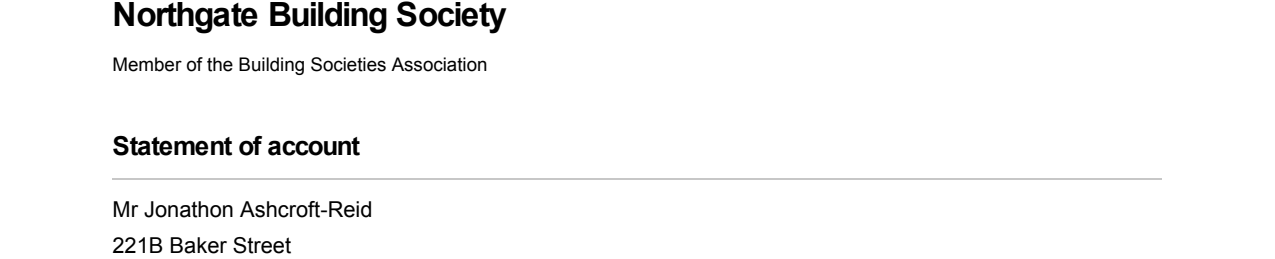
The edited page is shown to you as a picture first, so you can see for yourself that the font was not substituted.

Questions
What if the font is not embedded at all?
Can I add a font to the document?
Does bold or italic work?
What about a different language or an accented character?
One document
$2each
- No subscription and no account
- Every correction that document needs
- Checking is free, always
Ten documentsBest value
$10$1 each
- No subscription — buy once, use whenever you need them
- They do not expire
- Half the price of buying them one at a time
Everything it can change
Change any text
Swap a phrase for another one, in the font already there.
Fix a typo
A word came out wrong and the rest of the page is fine.
Change an address
Three or four lines of an address block, changed together.
Change a date
A date that needs to read differently, without shifting the line.
Change a name
A misspelt name, or one that has changed since.
Keep the same font
Replace text without a font substitution anywhere on the page.
Change a number
An amount, a reference, an account number — digits for digits.
Remove a word
Remove text without breaking the layout.
Add a signature
Put a signature image on the page without covering what is under it.