Change an address in a PDF
An address is three or four lines that belong together. Change them in one pass, in the type the document already uses, with everything around them where it was.
Edit the text in your PDF
-
1
Choose your document
-
2
Say what should change
-
3
See it, then download it
The whole address changes in one pass
Correcting an address one line at a time is slow, and it can leave you with a half-updated file: if the third line turns out to need a character the font does not carry, the address stops halfway.
So a block is one operation here. Paste the lines as they appear into one box and the lines they should become into the other. They are planned and written as one change; if any line cannot be changed, the file is left untouched.
How the block is found
Each line is looked for on its own, and then the lines are matched by position: the text for the second line is the nearest below the first, and near enough to be the next line rather than something further down the page that happens to say the same thing.
That last part matters on an invoice, where a billing address and a delivery address often share a line — the same city, the same postcode. If the block you described could be either one, you are told so and nothing is changed, rather than one of them being picked for you.
The one rule
The replacement must have the same number of lines as the original. Four lines cannot become three: removing a line moves everything below it up the page, and that is a new layout rather than a correction. If the new address is shorter, keep the line and put less on it.
The steps
Upload the document
An invoice, a letter, a statement, a contract — anything whose text you can select in a reader.
Copy the address exactly as it is printed
All of its lines, in order, into the first box. Trailing spaces do not matter.
Type the new address with the same number of lines
One line for one line. If the new address is shorter, keep the line and put less on it.
Check, look, download
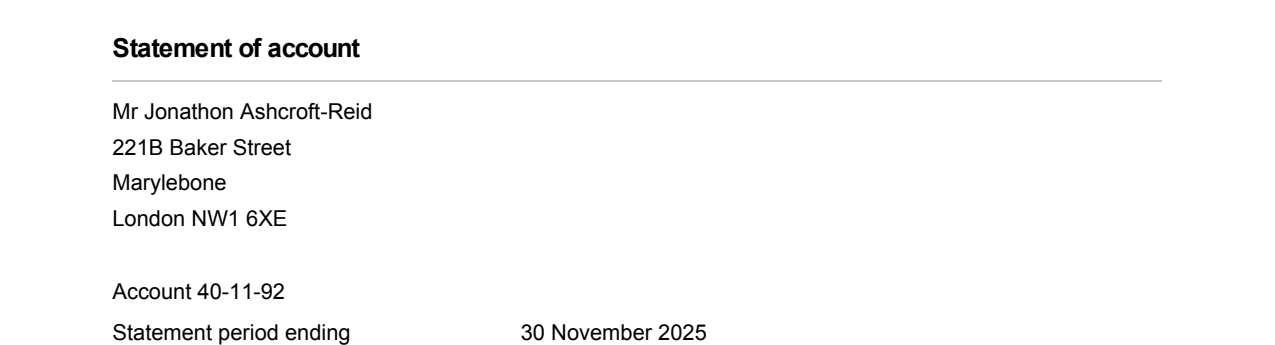
The check lists every line with its font and whether it can be written. The result comes back as a picture before there is anything to pay.

Questions
The new address has fewer lines than the old one. What do I do?
There are two addresses on the page and they share a line.
One line is bold and the others are not.
Can I change an address that appears on several pages?
One document
$2each
- No subscription and no account
- Every correction that document needs
- Checking is free, always
Ten documentsBest value
$10$1 each
- No subscription — buy once, use whenever you need them
- They do not expire
- Half the price of buying them one at a time
Everything it can change
Change any text
Swap a phrase for another one, in the font already there.
Fix a typo
A word came out wrong and the rest of the page is fine.
Change an address
Three or four lines of an address block, changed together.
Change a date
A date that needs to read differently, without shifting the line.
Change a name
A misspelt name, or one that has changed since.
Keep the same font
Replace text without a font substitution anywhere on the page.
Change a number
An amount, a reference, an account number — digits for digits.
Remove a word
Remove text without breaking the layout.
Add a signature
Put a signature image on the page without covering what is under it.